Create a project and add an API key
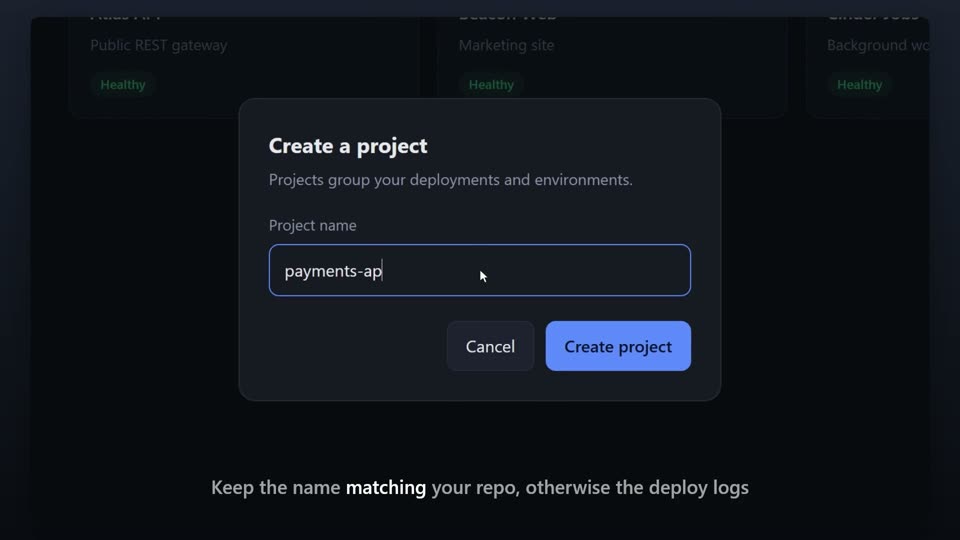
A short product demo of an admin app: the Projects screen, creating a new project, then adding an API key in Settings, in under a minute.
- The brief
- “Spin up a new project in Northwind and connect it to an API key.”
- Recorded
- A demo admin app
- Length
- 0:43
Made by SayScreen from the brief above. Nothing was edited afterwards. Download the mp4.
What the voice says
The narration, written by the app after reading the page. Each line is one beat of the video; the camera and pointer follow it.
- 01
This is Northwind. In the next minute I'll show you how to spin up a new project and connect it to your API key.
- 02
Everything starts on the Projects screen. Each workspace you're running gets its own card here, with a health badge so you can see at a glance that things are fine.
- 03
To add another one, hit New Project up in the top right.
- 04
Give it a name. I'll call this one payments-api.
- 05
Then create it, and you're done.
- 06
Now open Settings from the sidebar on the left.
- 07
Paste your API key into this field, and every service you deploy can authenticate straight away.
- 08
That's the whole setup. Two screens, and you're live.