
+ New project
Zooms that follow the action
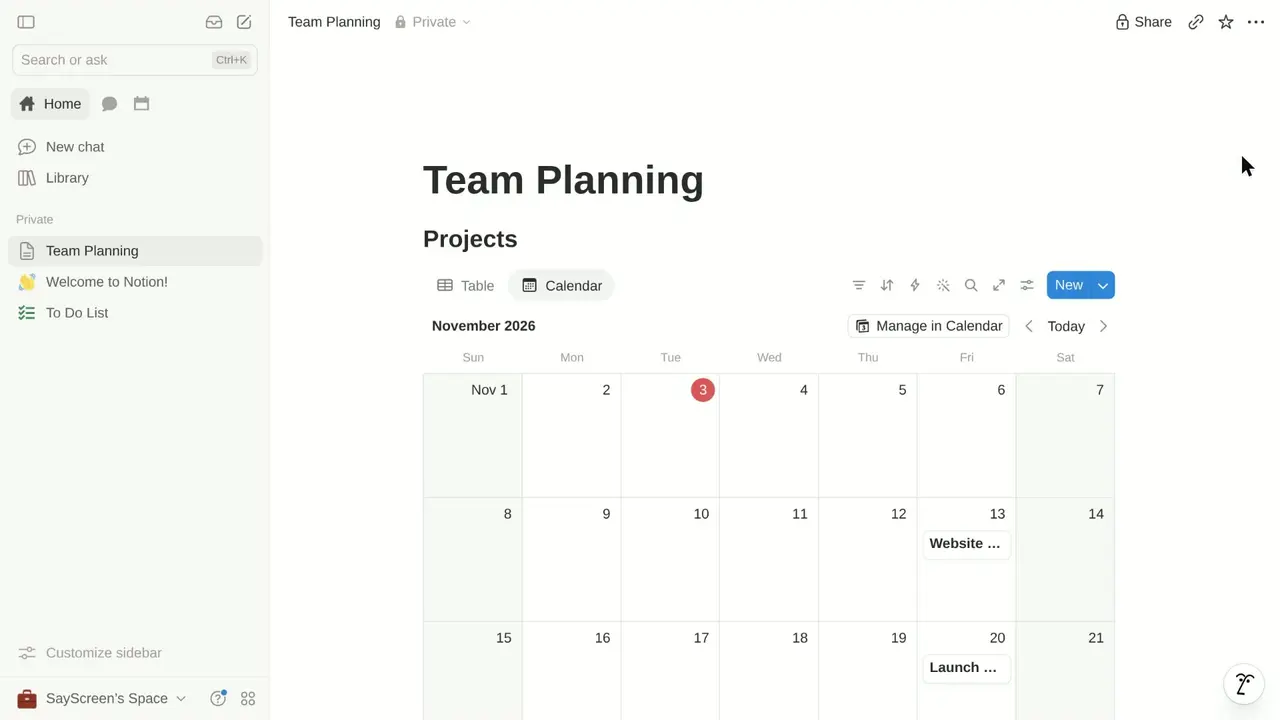
The camera pushes in on small targets, frames whole dialogs and pulls back when the page changes. It moves on a damped spring, so it glides instead of snapping.
SayScreen clicks through your web app in a real browser, narrates each step and edits the video, so you never record or edit anything.
Made by SayScreen from this promptCanva · 2:25
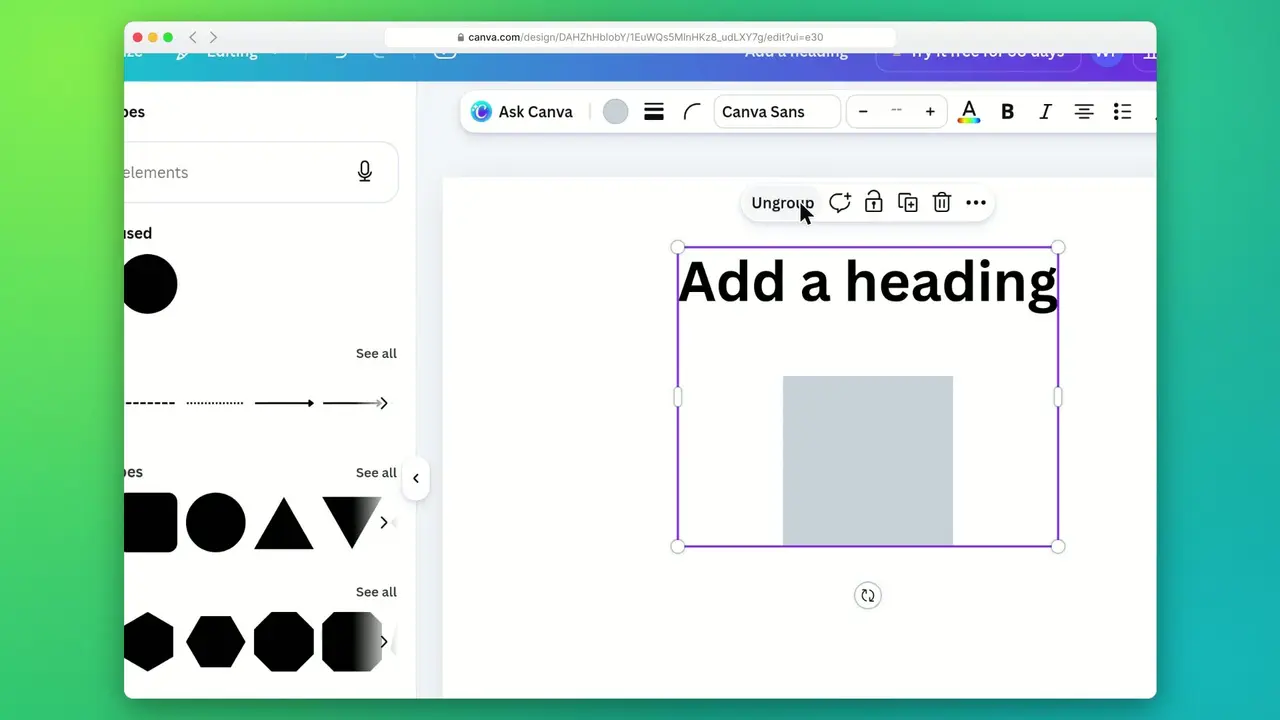
Show how to use Canva's new Brush AI to edit a design you already have. Open a presentation (create one from any free pitch deck template if needed), open Canva AI, and choose Brush from the model menu. Give it two instructions, one at a time: "Make every slide title shorter and punchier," then "Restyle this deck in a warm sunset color palette." After each one, point out that every element is still editable by clicking a title and changing a word. Explain what makes Brush different from generating a design from scratch. Skip sharing, downloading and Magic Design.
Read the full prompt and stepsHow-to videos
Each one was recorded in the real app from a single prompt, then checked step by step.
How it works
No screen recorder, no microphone, no editing timeline. Say what the video should teach, and SayScreen does the rest while you watch.
Paste the page where the lesson starts and describe what to teach, like briefing a colleague: the goal, the steps to show, what to skip.
Your AI director drives a real browser: it reads each screen, finds the right buttons, clicks, types and writes a line of narration for every step.
A lifelike AI voice reads the script and SayScreen edits it with zooms, a gliding cursor and captions. You get an MP4 and an .srt file.
Before → after
A screen recording shows everything at once, tiny. SayScreen frames what matters, explains it out loud and keeps the viewer's eye on the next click. Drag the slider.
Pick the Marketing template, then hit Create project.
Features
SayScreen edits the way a careful human would: the camera, the cursor, the pacing and the voice all follow what the viewer needs to see next.
The camera pushes in on small targets, frames whole dialogs and pulls back when the page changes. It moves on a damped spring, so it glides instead of snapping.
Natural AI narration, timed word by word. Pick a voice and speed, or narrate in your own cloned voice.
Click New project, in the top-right corner.
2
00:00:02,700 --> 00:00:05,400
Click New project, in the top-right…
Burn captions into the video, and get an .srt file with every render for players that show their own.
Background: Ocean
Try them on your own screenshotNine gradient backgrounds or your own image, a browser, minimal or frameless window, light or dark, with your choice of zoom strength.
app.yourproduct.com just now
Create your first project
Every new customer starts here, and the template picker is easy to miss.
Make this videoInvite a teammate as an admin
Roles sit three menus deep, so this one saves support tickets.
Make this videoNot sure what to record? Point the AI at your app. It clicks around like a new customer, then suggests videos worth making, each with its brief ready to go.
Edit without re-recording
Every video comes with its script. Fix a phrase, drop a step or try another voice, and SayScreen rebuilds the video around your change in minutes.
Let's create a new project in Taskly.
Click New project, in the top-right corner.
Type the name. Give it a name. We'll call it Q3 Launch.
Open the settings to rename the workspace.
Logins & safety
Real tutorials happen inside real accounts. SayScreen gets there the way you do, and stays careful once it's in.
Check access opens the site's own sign-in page right inside SayScreen. Sign in as you usually do (single sign-on and 2-step codes included), and it closes by itself once you're in.
What you type is never saved or logged. SayScreen keeps the signed-in session, not your password, and the AI is instructed never to type credentials.
Each site gets its own sign-in profile, kept apart from everything else, and you can forget a site at any time.
The AI is told not to delete real data, make payments or email real people unless your lesson asks for it.
Pricing
$1 for your first 7 days, then $49 a month for 60 minutes of video, up to 8 minutes each. Cancel anytime.
Full refund on your first plan charge if you ask within 14 days and have used under 10 minutes.
Built by WesGPT on YouTube. Questions go straight to the person who builds it.
FAQ
You pay $1 today and get 7 days and 5 minutes of video. After that the plan continues at $49 for 60 minutes of video a month, unless you cancel first in Settings. You'll need a card to start, and each account and each card can take the trial once.
If it runs in Chrome and is reachable on the internet, SayScreen can almost always record it: SaaS dashboards, admin panels, internal tools, CRMs and developer consoles. Pages on a private network or behind a VPN can't be reached.
Yes. Click Check access and, if the page needs a sign-in, the site's own sign-in page opens right inside SayScreen. Sign in as you usually do: single sign-on and 2-step codes work, passkeys and security keys don't yet. It closes once you're in, and SayScreen records with that session and remembers it for next time. What you type is never saved or logged, and the AI is instructed never to type credentials.
The AI is told to avoid destructive or irreversible actions (deleting real data, payments, emailing real people) unless your lesson explicitly asks for them, and you can tell it where to stop ("stop at the confirmation dialog"). It still acts in a real account and can make mistakes, so a demo or staging account with sample data is the best place to record.
An MP4 video (1080p at 60 fps, widescreen or vertical for phones) and an .srt caption file. Upload them anywhere you'd use a video: your help center, onboarding emails, docs, website or social channels.
Make the video again from the same prompt. Because every video is generated from your live app, refreshing a tutorial after a redesign takes minutes instead of a re-shoot and a re-edit.
Point SayScreen at your app, say what to teach, and get a narrated, edited video back.
$1 for 7 days, then $49/month · Cancel anytime