
For teachers, trainers and course creators
Software lessons for your students, without recording them
Teaching a web app, from a spreadsheet to a learning platform? Describe the lesson in a sentence and get a narrated screen tutorial with zooms and captions, ready for your course or class page.
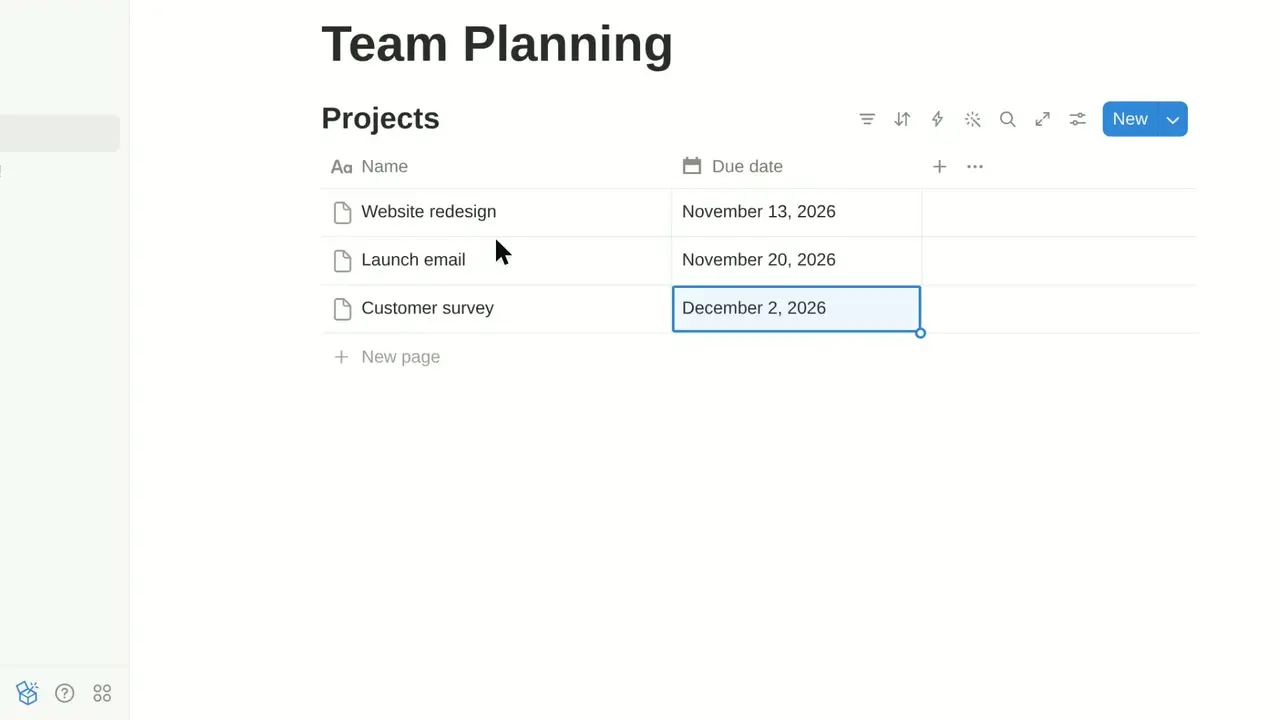
Let's create a new project in Taskly.
Why teams use SayScreen for teachers & courses
One lesson per video
Short, focused videos for each skill (submit an assignment, build a chart, share a file) that students can rewatch at their own pace.
Clear to follow
Zooms follow the action and a gliding cursor lands on every button, while a natural AI voice explains each step.
Captions for every student
Every video comes with an .srt caption file you can upload with it to most course platforms and video hosts.
Prompts to try
Describe it like you'd brief a colleague
Say what to show, what to emphasize and where to stop. SayScreen turns each prompt into a narrated video. Copy one to start.
- 1Point it at your app. Paste the page where the lesson starts and describe what to teach, like briefing a colleague: the goal, the steps to show, what to skip.
- 2AI takes the wheel. Your AI director drives a real browser: it reads each screen, finds the right buttons, clicks, types and writes a line of narration for every step.
- 3Download the finished video. A lifelike AI voice reads the script and SayScreen edits it with zooms, a gliding cursor and captions. You get an MP4 and an .srt file.
- Show students how to submit an assignment and check it was received.
- Walk through creating a bar chart from a table of data.
- Show how to share a document with view-only access.
How-to videos
Lessons made by AI
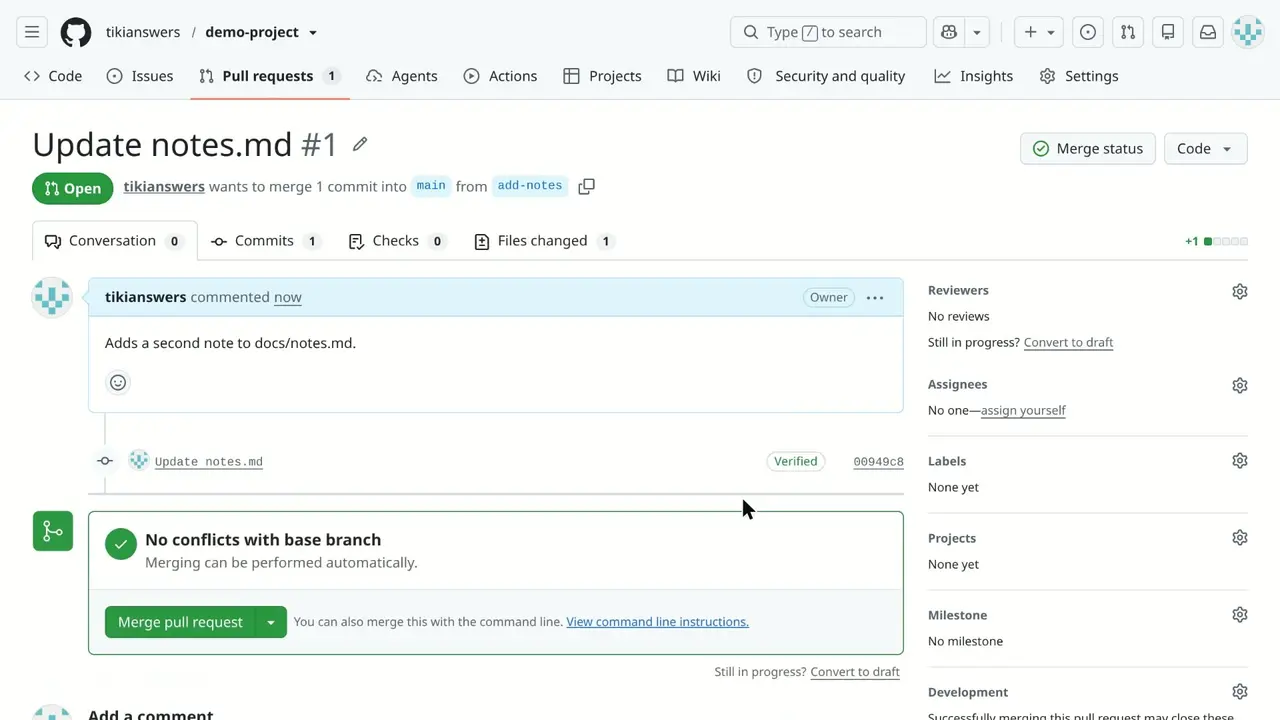
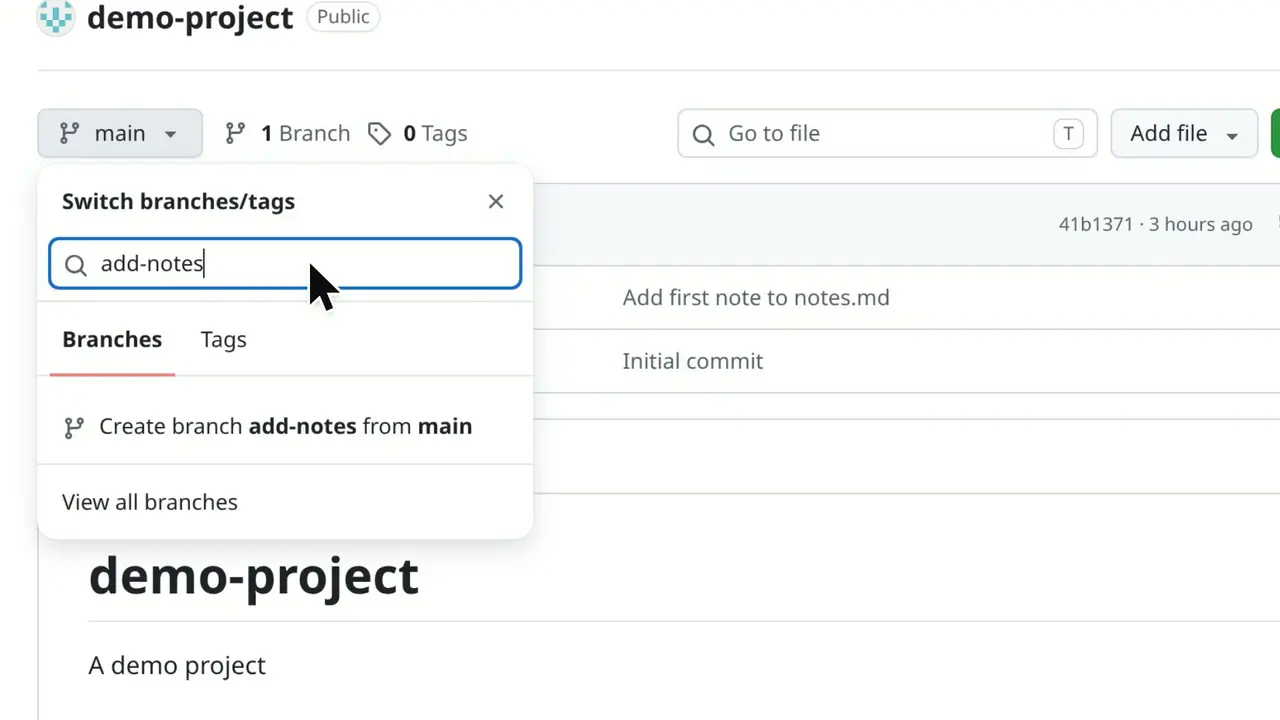
Real tutorials from SayScreen's how-to library, recorded in popular web apps your students may already use.
Frequently asked questions
Keep each video to one task and one to three minutes. With a screen recorder you script, record and edit it yourself; with SayScreen you describe the lesson and the AI records, narrates and edits it for you.
Yes. You get an MP4 (1080p at 60 fps, widescreen or vertical) and an .srt caption file, which upload to course platforms, LMSs and video hosts like any other video.
Yes. Choose a stock AI voice or use your own cloned voice, and keep the same narrator across the whole course.
No. SayScreen records web apps that run in Chrome and are reachable on the internet. For desktop software, use a screen recorder like the free online screen recorder on this site.
More ways teams use SayScreen
- For customer success & growth teamsCustomer onboarding
- For support & documentation teamsHelp center & support
- For product marketing & salesProduct demos
- For product teams shipping every weekFeature launches
- For HR, IT and enablement teamsEmployee training
- For support and customer service teamsCustomer support
- For creators and SaaS marketing teamsYouTube tutorials
Also useful:How to make a software tutorial videoScript timerCamtasia alternativesLoom alternatives
Your next tutorial is one sentence away.
Point SayScreen at your app, say what to teach, and get a narrated, edited video back.
$1 for 7 days, then $49/month · Cancel anytime